Staff
My Desk
The day opens on your own work. Not the whole company database.
- My Desk
- My Leads & Clients
- My Calendar
- Assigned follow-ups
- Customer communication
- Daily workload
Digital office
FollowDeck is a digital office for a small business. A Cubicle is the individual workspace — My Desk. An Office is the company workspace — Office Overview, shared records, and the work that belongs to the team.
Staff start on their own desk. Owners and admins can see across the company. Helping is deliberate, and it does not quietly reassign the customer.
Staff
The day opens on your own work. Not the whole company database.
Owner and Admin
Step back and see the office: ownership, load, and what is still unassigned.
Staff see the work on their desk. Owners see the whole office.
Private / Branded Office is a future product direction. It is not available now, and it cannot be purchased or turned on from this site.
In the product
These are screens from FollowDeck. Staff start on their own desk. A wider view is opened on purpose.
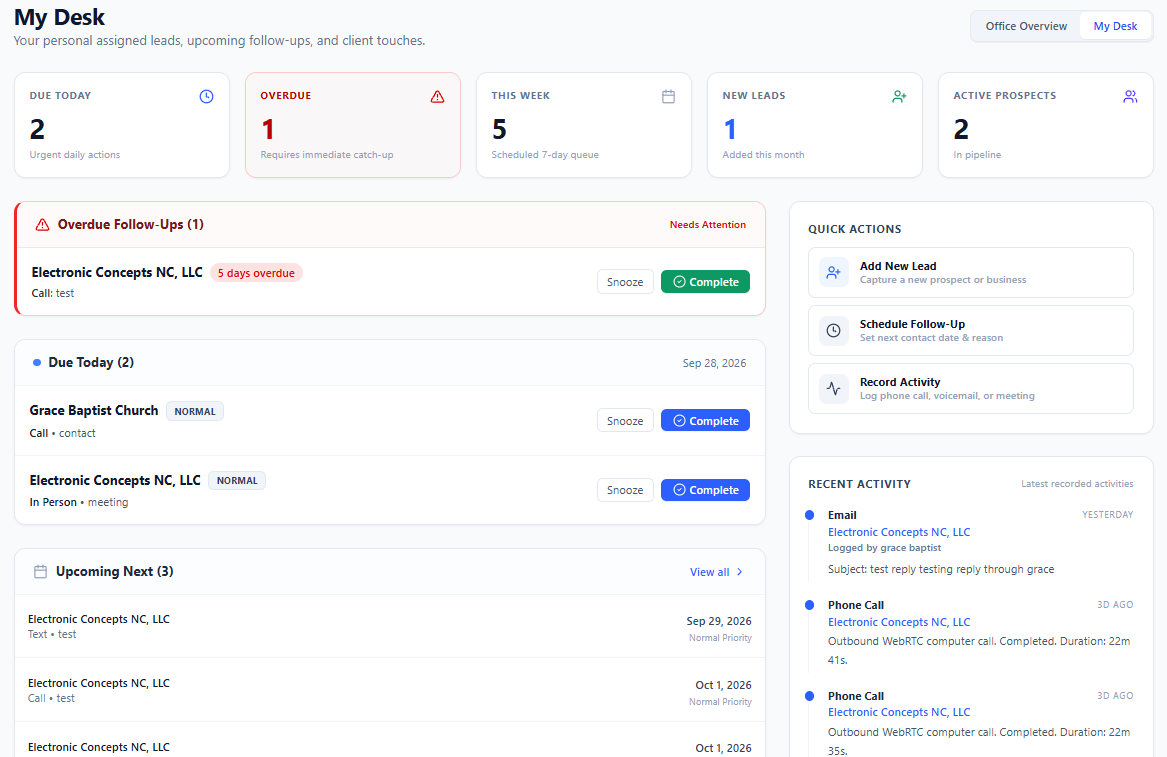
Staff see the work on their desk. Assigned follow-ups, what is due or overdue, upcoming work, and recent activity. This is one person’s cubicle, not the whole company.
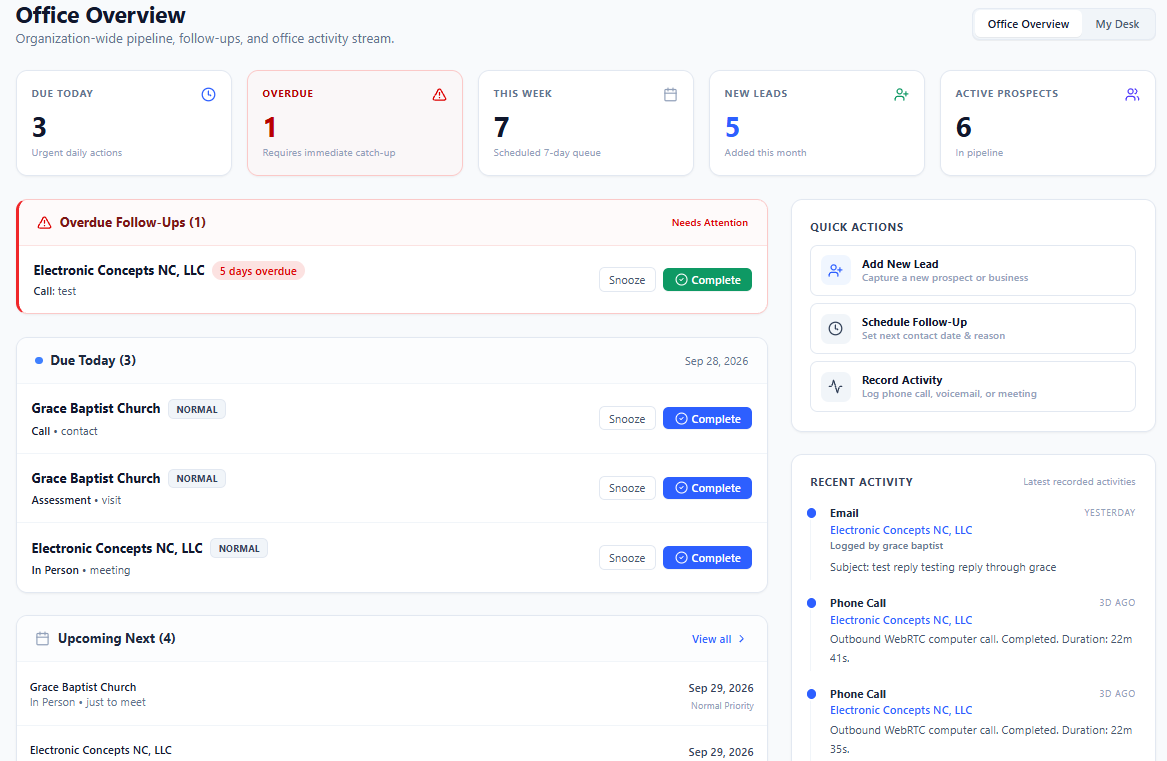
Owners see the whole office. The counts and the activity cover the company, not only the work on one desk.
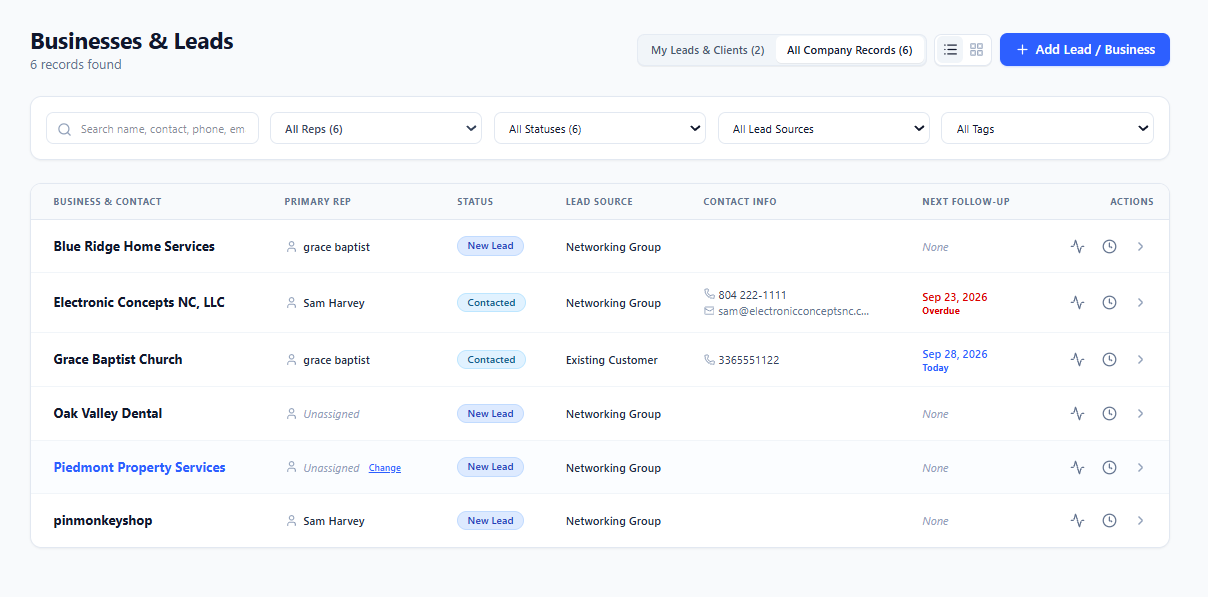
My Leads & Clients is the personal list. All Company Records is the broader list, opened when someone needs to help with a customer who is not already on their desk.
The customer record names the Primary Rep. Another authorized person can still do the work. The timeline records who did it, and labels that help, without moving ownership.
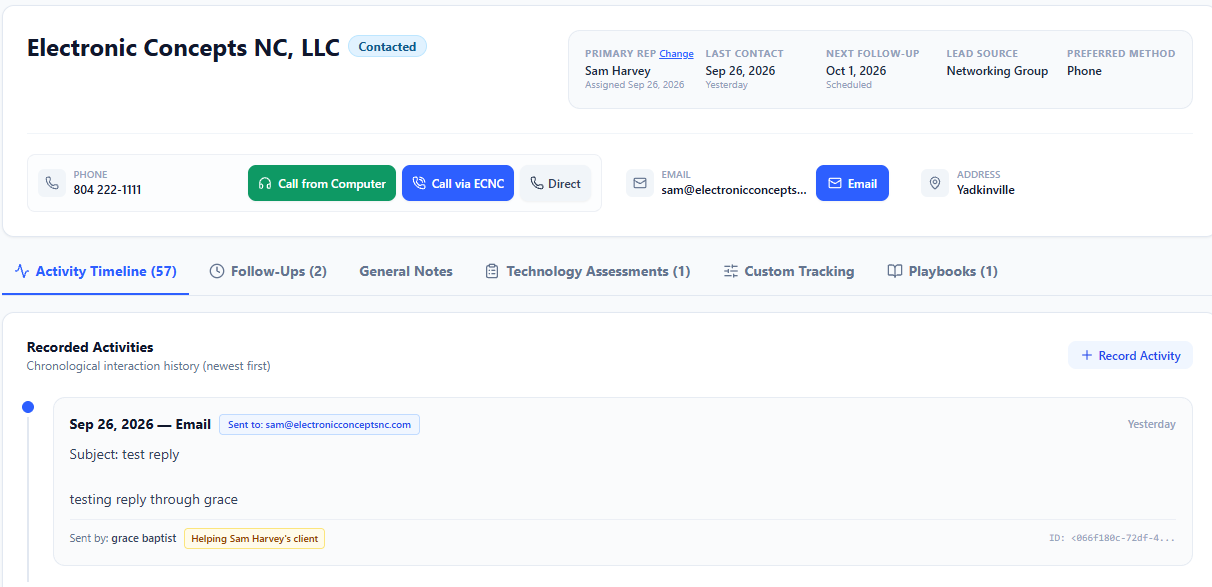
A normal day starts at My Desk: assigned leads and clients, follow-ups that are due, My Calendar, customer email and calling, and a readable sense of the workload. All Company Records is there when you need to help a coworker — you open it on purpose.
Office Overview, every company record, the Office Calendar, team workload, a filter by rep, unassigned work, and company activity. You can still switch back to My Desk. The view is for knowing what happened and what comes next.
Roles
Each organization works in its own workspace, with its own team, customers, communication, Playbooks, and settings.
Full organization control, and the broad view of the office.
Management-level access and day-to-day administration.
A daily operating desk: their own leads, follow-ups, calendar, and communication.
Can look at the workspace without editing it.
See how FollowDeck could fit your business. Request a demo and walk through the Digital Office with your team.